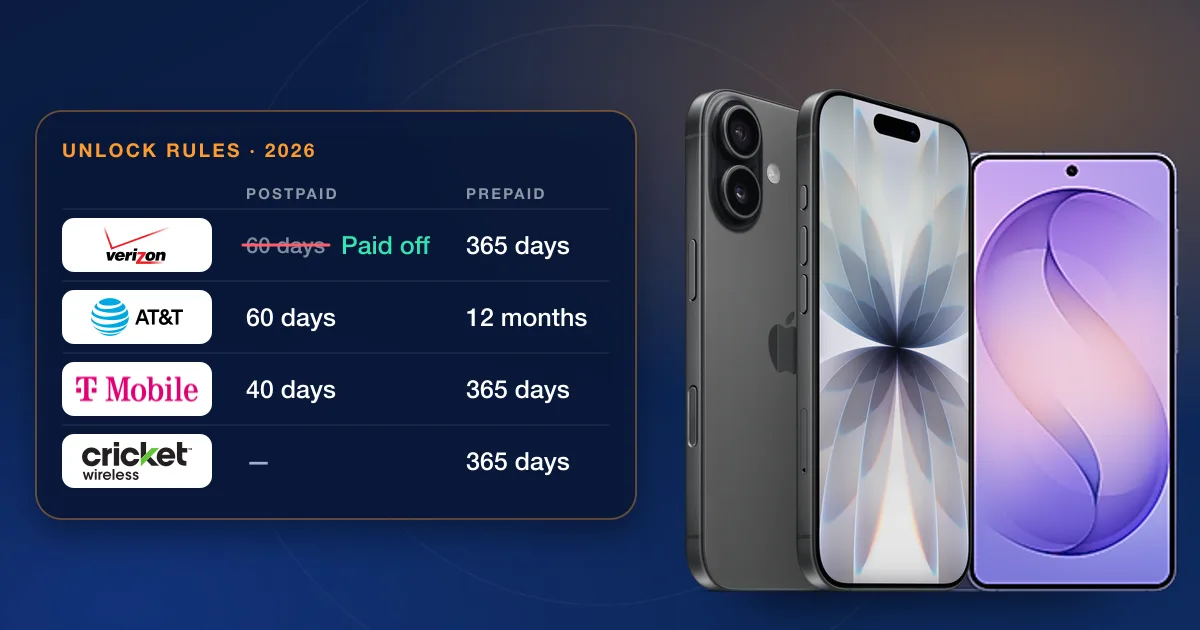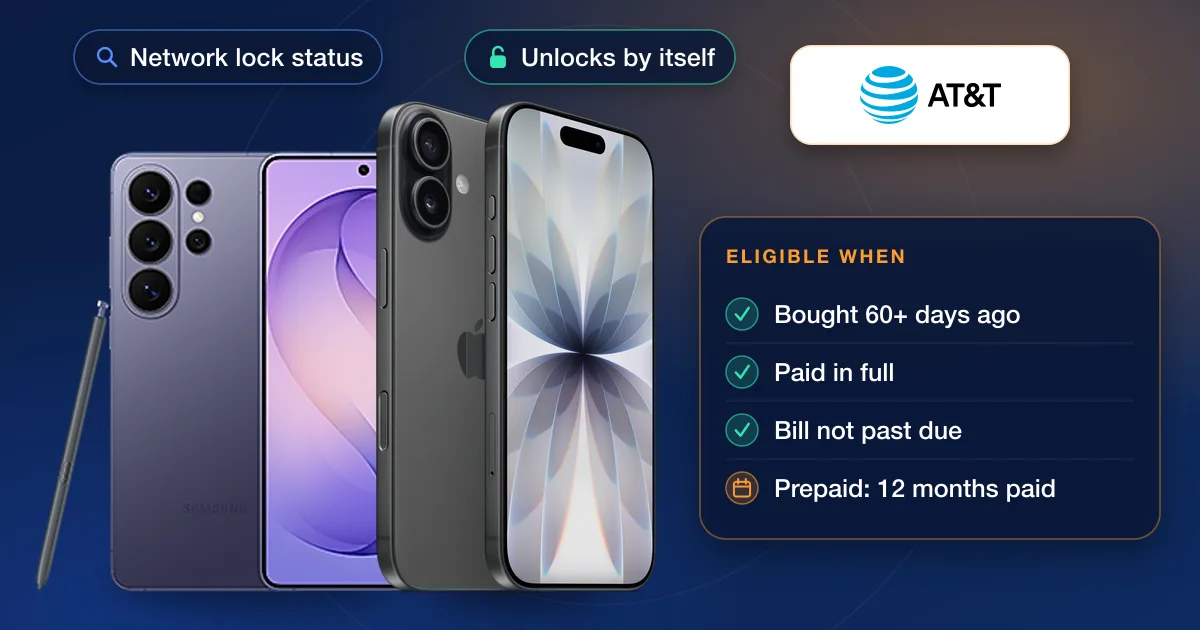
AT&T unlocks a phone for free once it was bought more than 60 days ago, is paid off in full, hasn’t been reported lost, stolen or involved in fraud, and, for current customers, the bill isn’t past due. AT&T Prepaid phones need 12 months of paid service. Eligible Apple, Samsung and Google phones on AT&T plans should unlock by themselves; for the rest you send a request, which AT&T says is usually approved within minutes and can take up to 48 hours.
AT&T’s unlock rules in 2026
| Account | What AT&T requires |
|---|---|
| AT&T Wireless (postpaid) | Bought more than 60 days ago and not active on another AT&T account; paid in full, with any installment balance at zero; not reported lost, stolen or involved in fraud; bill not past due |
| AT&T Prepaid | 12 months of paid AT&T service; not active on another AT&T account; not reported lost, stolen or involved in fraud |
| AT&T Business | The postpaid rules, plus the company must allow the unlock and any contract term must be complete. After an early upgrade from a two-year contract there is a 30-day wait |
| Deployed military | The phone doesn’t have to be paid off first. Answer yes when the request asks whether you’re deployed |
| Not an AT&T customer | You can still request an unlock for an AT&T phone that meets the rules |
Is your AT&T phone already unlocked?
Because AT&T now unlocks many phones by itself, check before you file anything:
- 1Your AT&T accountSign in and select the device. An unlocked phone shows “Device unlocked” in its device details.
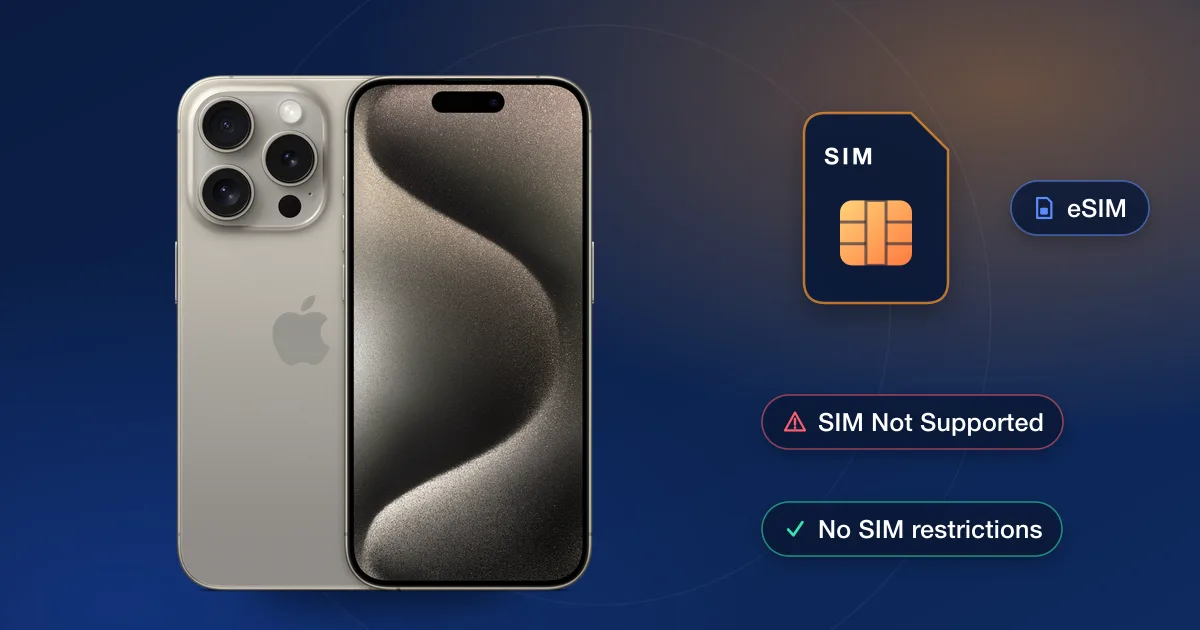
- 2iPhoneSettings → General → About → Carrier Lock. “SIM locked” means it is still locked; “No SIM restrictions” means it is unlocked.
- 3Samsung released after September 1, 2025Settings → Connections → More connection settings → Network lock status. That covers recent Galaxy phones such as the S26 series.
- 4Older SamsungSettings → About phone → Software information → Service provider software version. Per AT&T: ending in ATT/ATT means the phone came from AT&T and can be unlocked; containing ATT but ending in something else means it was unlocked before it came to AT&T; no ATT at all means AT&T can’t unlock it, so contact the carrier that sold it.
- 5Prepaid phone with a SIM cardPut in a SIM from another carrier. A message that the SIM isn’t compatible with the AT&T network means the phone is still locked. On eSIM, request the unlock instead.
How to request an AT&T unlock
- 1Get the IMEIDial *#06# or look in the phone’s settings. Our guide to finding your IMEI shows every way.
- 2Submit the requestUse AT&T’s device unlock page, linked in the sources below, and follow the prompts. AT&T Prepaid Android phones use the AT&T Device Unlock app instead; prepaid iPhones use the request page.
- 3Confirm itIf you’re not an AT&T customer, AT&T emails you a confirmation link. Select it within 24 hours, or you’ll have to start again.
- 4Finish the unlockAT&T sends instructions by email or text, and notes that an iPhone 13 or earlier may need a factory reset to finish. To follow a request, use the link in that message, or your request number and IMEI on AT&T’s status page.
Why AT&T turns a request down
AT&T says a request that isn’t approved usually means the phone isn’t eligible yet. The usual reasons:
- There is still an installment balance on the phone, even a small one.
- The phone was bought 60 days ago or less, or a prepaid phone hasn’t reached 12 months of paid service.
- The phone is still active on another AT&T account.
- The account’s bill is past due.
- The phone has been reported lost or stolen, or linked to fraud.
- The phone didn’t come from AT&T, so AT&T can’t unlock it.
Fix what you can, then send a new request. For the rules across all carriers, see is my phone eligible for unlock.
When an IMEI unlock makes more sense
Sometimes the free route isn’t realistic: a financed phone you can’t pay off yet, a prepaid phone months short of 12 months, or a phone you bought secondhand that is still tied to someone else’s account. For those, our AT&T unlock page lists the AT&T unlocks we offer, each with its live price and delivery estimate. Some accept only phones with nothing owed, while others take phones still owed on an account, so read each service’s notes before you order.